

OfficeOne ProTools Zoom 1.1
Allows you to zoom into slides during the slide show. Pan around zoomed slides
Program info
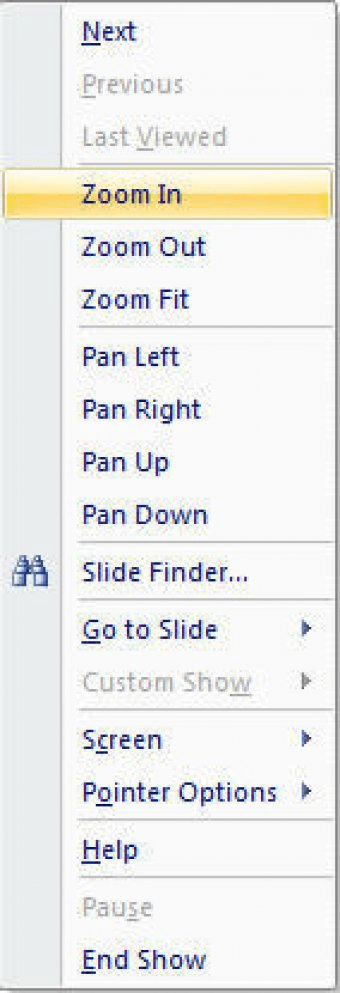

OfficeOne ProTools Zoom allows you to zoom into slides during the slide show while retaining the quality of the slide.
The new menu items are as follows:
- Zoom In: Clicking the Zoom In menu item to zoom into the slide.
- Zoom Out: The Zoom Out menu item does the reverse of zoom-in and zooms out a zoomed-in slide. It has no effect if the slide has not been zoomed-in.
- Zoom Fit: The zoom fit menu item allows you to get back to the non-zoomed state of the slide.
These Pan menu items are as follows:
- Pan Left: The Pan Left menu item allows you to move the zoomed-in slide to the left to show the contents to the right that have gone off-screen.
- Pan Right: The Pan Right menu item allows you to move the zoomed-in slide to the right - it shows more content from the left of the slide and makes an equal amount of content go off-screen to the right.
- Pan Up: This scrolls the zoomed-in slide upwards.
- Pan Down: A reverse of Pan Up operation, the Pan Down menu item allows you to scroll the zoomed-in slide down.
Details
Extensions

No information available
The data will be available later.


